Remote work hasn’t just changed where people work. It’s changed what good IT support looks like.
A problem that once took 20–30 minutes to diagnose over the phone can now often be identified in under a minute using secure remote access.
Today, effective IT support isn’t about reacting to issues in an office.
It’s about managing, securing, and maintaining systems wherever your staff are — whether that’s on-site, at home, or on the factory floor.
How IT Support Used to Work
When IT support first evolved, everything was manual.
If someone had a problem, the only option was to talk them through it over the phone.
That meant:
- Trying to explain technical steps
- Guessing what was on their screen
- Hoping they clicked the right thing
A simple issue could take half an hour to diagnose properly.
And sometimes it still wasn’t resolved.
What Remote IT Support Looks Like Today
Now, most support requests are handled completely differently.
Within moments of a ticket being raised, an engineer can:
- Connect directly to the device
- See exactly what the user is seeing
- Trace the issue immediately
And like anything—whether it’s fixing a car or diagnosing a machine on a factory floor—
It’s far easier when you can see the problem yourself.
Most issues turn out to be simple:
- A setting needs changing
- A button has been missed
- A process hasn’t been completed
But they’re only simple once you can actually see them.
Automation Has Changed the Game
The biggest shift isn’t just remote access.
It’s automation.
Modern IT support doesn’t just fix problems — it prevents them.
For example:
- Devices automatically install updates
- Low disk space is resolved in the background
- Suspicious behaviour is flagged immediately
- New software installations are tracked
Most of this happens without users even noticing.
That’s the real difference between reactive IT and properly managed IT.
Remember, multiple disk failures could lead to irretrievable data loss. That’s a risk no small business can afford. Our IT support services can help you maintain your servers and safeguard your data.
Security in a Remote World
Remote work has also introduced new risks.
Previously:
- Devices stayed on-site
- Networks were controlled
- Access was predictable
Now:
- Staff work from multiple locations
- Devices connect to different networks
- Access can come from anywhere
That means businesses need far more visibility.
IT is no longer something you “set and forget.”
You need:
Centralised control
Secure access
Continuous monitoring
Why Manufacturing Businesses Work Differently
For manufacturing businesses, things are more complex.
You still rely on:
- ERP systems
- Production servers
- Factory-floor equipment
- SQL databases
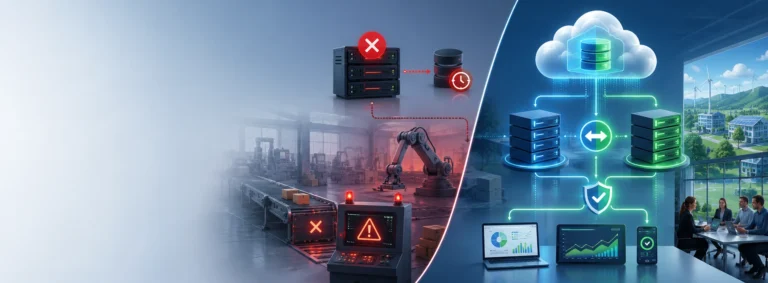
That’s why most manufacturers now operate in a hybrid IT model.
This combines:
Cloud systems (for flexibility and access)
On-premise systems (for production reliability)
In manufacturing, downtime doesn’t just affect office staff.
Why On-Premise Systems Still Matter
It can stop production completely.
If your internet connection fails and everything is cloud-based:
- Production may stop
- Orders may be delayed
- Staff may be unable to work
That’s why many manufacturers keep critical systems on-site.
It allows:
- Immediate local access (often at gigabit speeds)
- Independence from internet outages
- Consistent production operation
In manufacturing, reliability still outweighs convenience.
When Remote Support Isn’t Enough
Remote IT support solves most day-to-day problems.
But some situations still require on-site support.
For example:
- Hardware failures
- Network outages
- Wi-Fi issues
- Server replacements
- Production equipment faults
The best IT setups combine:
- Remote support for speed
- On-site engineers when physical work is required
What This Means for Your Business
Remote work hasn’t made IT support easier.
It’s made expectations higher.
Businesses now expect:
- Faster response times
- Fewer disruptions
- Proactive fixes
- Secure access from anywhere
And delivering that requires:
- Better systems
- Better monitoring
- Better structure
Final Thoughts
Good IT support shouldn’t depend on where your staff are working.
Whether someone is:
- In your factory
- Working from home
- Visiting a customer
They should have the same secure, reliable experience.
Because in modern businesses, IT isn’t about location anymore.
It’s about consistency.
Need Help?
At Affirm IT, we help manufacturing businesses build IT environments that work wherever your people are — without compromising security or production reliability.
If you’re not sure whether your current setup supports remote and on-site working properly, don’t hesitate to
contact us.