
In the corner of the factory there’s a PC.
It runs the CNC machine. Or the laser cutter. Or the press. It was installed by the machine supplier years ago, and it still runs an old version of Windows that stopped getting security updates a long time ago.
Nobody wants to touch it.
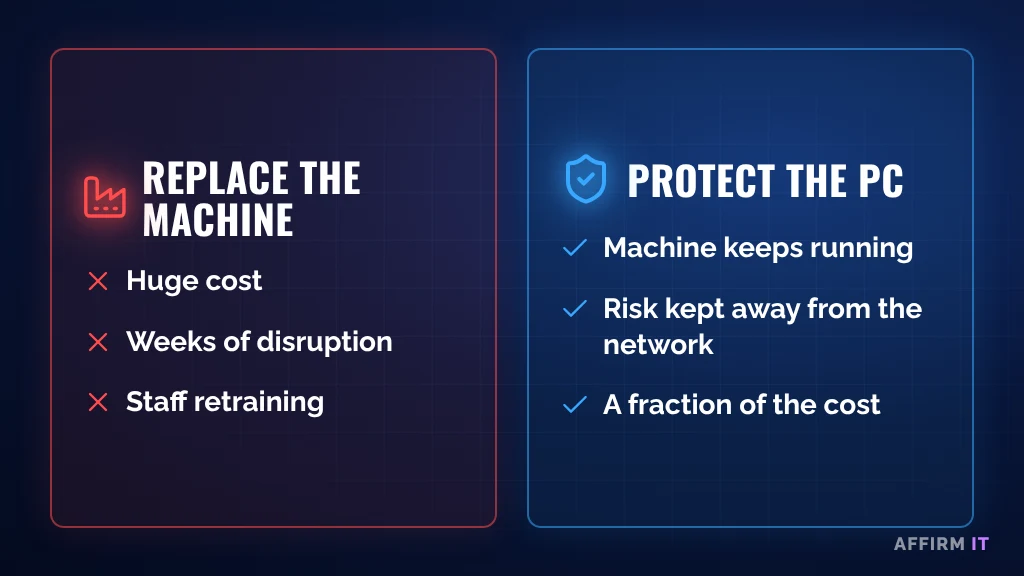
Because if it stops working, the machine stops working. And replacing the machine costs more than a car.
Why These PCs Are a Risk
An old PC that no longer gets security updates is like a front door with a lock everyone knows how to pick. On its own, in a locked room, it might be fine. Connected to the rest of your network, it becomes the easiest way in.
Ransomware doesn’t care what the PC is for. If it can reach it, it can encrypt it. And if that PC is connected to your office network, it can also be the route into everything else.
You Don’t Always Have to Replace It
Often the machine is perfectly good, and the supplier won’t support a newer version of Windows. The answer is usually to protect it, not replace it.
Five Ways to Protect Machine PCs
1. Separate it from the office network
Put machine PCs on their own network, so they can’t reach office computers and office computers can’t reach them, except where they genuinely need to.
2. Block internet access
Most machine PCs don’t need the internet at all. No email, no web browsing, no downloads.
3. Control USB sticks
USB sticks are how files get onto these machines, and how problems spread. Limit which devices can be used, and scan files before they go on.
4. Control remote access
If the machine supplier needs to connect remotely, make sure that access is switched on only when needed, and that you know who is connecting.
5. Back up the setup
Keep a copy of the PC’s software and settings, so if the hard drive fails you can get the machine running again without waiting weeks for the supplier.
What About Cyber Essentials?
Unsupported devices are one of the main things that trip manufacturers up with Cyber Essentials. Separating them properly from the rest of the network, with no internet access, is usually part of the answer. It’s worth planning this before you apply.
Frequently Asked Questions
Can we just leave the machine PC unplugged from the network?
Sometimes, yes. If it never needs to send or receive files, keeping it completely offline is the simplest protection. You still need a backup of its setup.
Who is responsible for the machine PC: us or the supplier?
It varies by contract. Find out before something goes wrong, so you know who to call.
Need Help?
At Affirm IT, we start with simple questions:
- Which machines run on old PCs?
- Can those PCs reach your office network or the internet?
- Could you get the machine running again if the PC died tomorrow?
Not sure where your risks are? Take our free 2-minute IT scorecard, or work out what downtime costs you with our downtime cost calculator.
Or get in touch with us. At Affirm IT, we provide IT support for manufacturers and managed IT support in Derbyshire and across the East Midlands.